
Why Babies Love Spinning Toys: A Guide to Visual Tracking
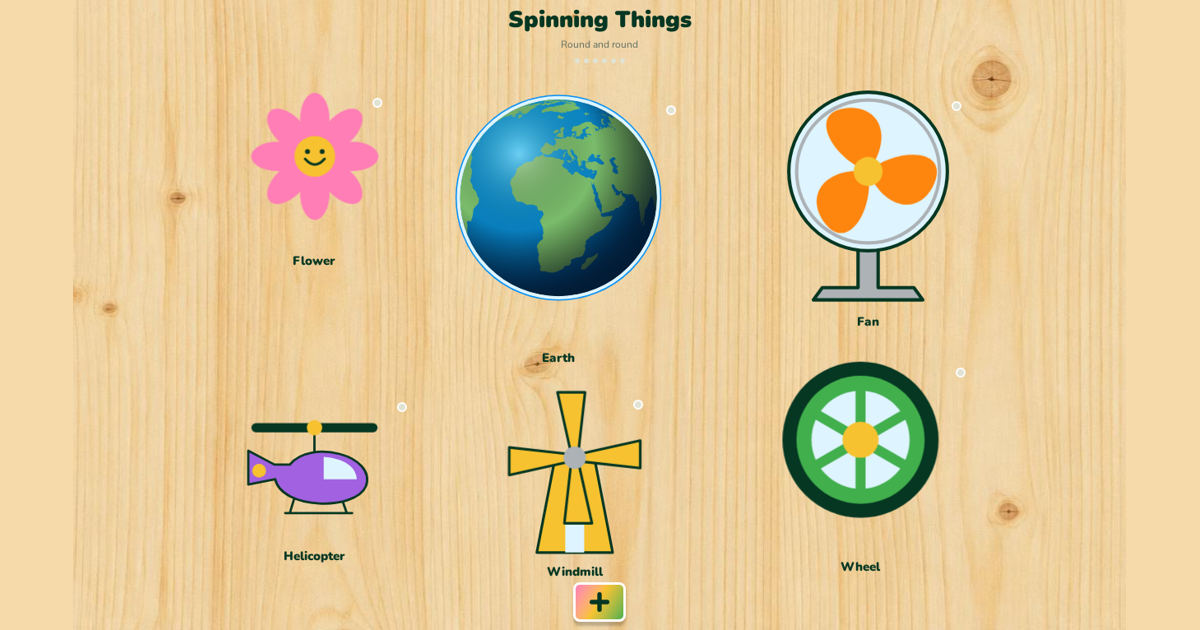
From the gentle rotation of a ceiling fan to the rapid whirl of a colorful top, babies are often mesmerized by objects in motion. This fascination isn't just about entertainment; it is a fundamental part of how infants observe the world. Visual tracking—the ability to follow a moving object with the eyes—is a skill that develops gradually during the first year of life. Understanding how spinning toys and high-contrast digital interfaces capture a child's attention can help parents choose the right activities for playtime.
The Science of Circular Motion
Spinning objects provide a unique visual stimulus because they maintain a consistent center point while the edges move rapidly. For a developing infant, this combination of stability and motion makes it easier to lock their gaze onto the object. Unlike linear movement, which requires the eyes to scan from side to side or up and down, rotation allows the child to practice focusing on a single area while perceiving change and color shifts simultaneously.
Traditional toys like pinwheels, fidget spinners, and tops have long been staples in nurseries for this very reason. These items encourage a baby to coordinate their eye muscles to keep up with the speed of the spin. As they grow, they begin to reach out and try to stop or start the motion themselves, bridging the gap between purely visual observation and physical interaction with their environment.
Digital Spinners and Visual Engagement
In today’s digital age, the concept of the spinning toy has evolved to include interactive screens. gugiboard offers a modern take on this classic play pattern through its web-based busy boards. The platform includes specific games where colorful elements react to a child’s touch, mimicking the cause-and-effect relationship found in physical spinning toys. Because the app works directly in the browser, parents can provide this visual stimulation instantly without needing to carry extra gear.
One of the advantages of using a tool like gugiboard is the variety of high-contrast visuals designed specifically for young eyes. With 21 different learning boards, children can switch between various shapes and colors that spin, bounce, or glide. This variety keeps the visual experience fresh, ensuring that the child remains engaged while they explore the interface through multi-touch interaction on a tablet or touchscreen laptop.
Building Confidence Through Interactive Play
When a child interacts with a spinning element on a screen, they receive immediate feedback. On gugiboard, this is enhanced by recorded friendly voices—real human voices, not AI—that provide a warm and encouraging environment. When a toddler taps a spinning sun or a rotating gear, they hear a clear, friendly confirmation. This multi-sensory approach helps connect what they see with what they hear, creating a more comprehensive play experience.
The app also features an automatic advance function. Once a child has explored all the interactive elements on a board, the system smoothly transitions to the next one. This prevents frustration and keeps the visual momentum going. For parents, this means less time spent resetting games and more time watching their child discover how different objects move and react to their tiny fingers.
Personalizing the Visual Experience
Every child has their own preferences when it comes to visual stimuli. Some may be drawn to bright primary colors, while others prefer softer tones. The 'Favorites' reports in the app allow parents to see which items their child interacts with most. If a child has already mastered or become disinterested in certain spinning items, parents can use the hide feature to keep the content challenging and new, ensuring the visual tracking practice remains effective.
Whether you are at home in the United States or traveling across Canada, having access to a no-account, free tool like gugiboard makes it easy to support your child's curiosity. The instant English-Spanish toggle is also a great feature for bilingual households, allowing the friendly voices to switch languages at a tap. By combining traditional physical play with smart digital tools, you can provide a rich environment for your baby to explore the wonders of motion.
Source and privacy
More play ideas
- Toddler browser games: a caregiver’s guide to shared play
- Colors and shapes for toddlers: simple ways to play together
- English and Spanish animal play: words, sounds and movement
- Play that moves on by itself: auto-advance and idle friends
- Little favorites in gugiboard: hidden percentages and fresh discoveries
- A visual tour of gugiboard: boards, Baby Games and Little favorites
- First words with jungle animals: lion, elephant, monkey and friends
- Alphabet play in two languages: from A for Apple to Ñ
- Happy, sad, surprised: naming feelings with toddlers
- Eyes, nose, hands: body parts games for toddlers
- Kindness through play: rescue stories for little helpers
- Cause and effect: why busy boards fascinate babies
- Music and sounds for babies: instruments, animals and soft songs
- Wake up to bedtime: teaching daily routines with Tiny House
- Tap, drag, draw: little fingers and fine motor play
- Healthy screen habits for toddlers: short, shared and balanced
- Play ideas by age: how gugiboard grows with your child from 0 to 7
- Counting with stars: first numbers through play
- Red, blue, yellow: learning colors step by step
- Circles, stars and hearts: finding shapes all around us
- Raising bilingual children at home: simple daily habits
- Sensory play for babies: lights, sounds and gentle movement
- gugiboard for children aged 4 to 7: from play to early learning
- “Great job!”: celebrating effort, not just results
- Calm moments: helping little ones through big feelings
- Meet the gugiboard chameleon: friendly characters that invite play
- From an animal picture to a story: reading picture books together
- Your turn, my turn: sharing play without a race
- Inside, outside, above and below: discovering spatial words
- Red, blue, red: noticing patterns without worksheets
- Where shall we go? Pretend journeys with vehicles and stories
- “What do you notice?” Questions that leave room for curiosity
- One last turn: helping children move from play to the next activity
- Different ways to join in: adapting shared play to your child
- Big sibling, little sibling: playing together without comparing scores
- A little garden story: noticing plants and practising care
- Zip & Clothes in gugiboard: familiar fasteners, clear little actions
- Little Workshop: what moves, opens and changes in gugiboard
- Inside Tiny House: everyday objects you can explore in gugiboard
- Circus & Sky and Circus Surprise: two playful worlds in gugiboard
- Light Factory in gugiboard: a light chain and a traffic-light scene
- Ball Adventure: big, small, slow and fast in gugiboard
- Domino Parade in gugiboard: one touch, a moving chain and bells
- What the colorful + opens in gugiboard: more content, familiar play
- Fruits & Food in gugiboard: pictures, words and everyday connections
- Rain, a clock and a doorbell: everyday sounds in gugiboard
- Little favorites: understand your child’s taps without turning play into a test
- Hide everything already tapped: a fresh set of choices, with one reversible action
- Small changes in Little favorites: one category at a time
- Hidden percentages in Little favorites: a clearer picture of available choices
- Why gugiboard moves to the next board after a completed activity
- The colorful plus: new discoveries inside a familiar gugiboard activity
- Saved favorites and the last play screen: continuity on the same device
- English–Spanish play with Little favorites: familiar interests, new words
- Moving friends and celebrations: the rhythm of a dynamic gugiboard session
- Little favorites and auto-advance: a practical routine for shared toddler play
- Jungle Animals: Animal learning games for toddlers in gugiboard
- Colors: Color learning activities for toddlers in gugiboard
- Shapes: Shape learning games for toddlers in gugiboard
- Numbers: Counting games for toddlers in gugiboard
- Alphabet: English Spanish alphabet activities in gugiboard
- Sounds: Animal and instrument sounds for toddlers in gugiboard
- Vehicles: Vehicle learning games for toddlers in gugiboard
- Body Parts: Body parts activities for toddlers in gugiboard
- Fruits & Food: Fruit and food vocabulary for children in gugiboard
- Emotions: Feelings activities for toddlers in gugiboard
- Little Workshop: Interactive busy board mechanisms in gugiboard
- Zip & Clothes: Zipper and clothes busy board in gugiboard
- Tiny House: Daily routine busy board for toddlers in gugiboard
- Circus Surprise: Circus cause and effect games in gugiboard
- Circus & Sky: Movement and weather activities for children in gugiboard
- Light Factory: Light chain cause and effect activity in gugiboard
- Ball Adventure: Rolling ball cause and effect game in gugiboard
- Domino Parade: Domino chain reaction game for children in gugiboard
- Colored Light Bulbs: Interactive colored lights busy board in gugiboard
- Spinning Things: Spinning toys cause and effect board in gugiboard
- Open & Opposite: Opposites learning busy board in gugiboard
- Pop the Bubbles: Bubble popping game for toddlers in gugiboard
- Feed the Animal: Animal feeding game for toddlers in gugiboard
- Match the Colors: Color matching game for toddlers in gugiboard
- Tap the Animals: Tap animal game for toddlers in gugiboard
- Put the Balls in the Basket: Drag and drop ball game for toddlers in gugiboard
- Turn On the Lights: Turn on lights toddler game in gugiboard
- Shape into Hole: Shape matching puzzle for toddlers in gugiboard
- Water the Flowers: Watering plant game for toddlers in gugiboard
- Find the Hidden Star: Hidden star discovery game for toddlers in gugiboard
- Make the Car Go: Simple car game for toddlers in gugiboard
- Fire Truck Rescue: Fire truck rescue game for children in gugiboard
- Save the Drowning Dog: Kind animal rescue game for children in gugiboard
- Help the Little Bird: Bird and nest rescue game for toddlers in gugiboard
- Engaging Toddler Learning Games for 2 Year Olds at Home
- Free Busy Board Games for Toddlers Online: A Simple Way to Learn
- Engaging Bilingual Toddler Activities: Master English and Spanish Early
- The Best Educational Games for 3 Year Olds: No Download Required
- Fun Toddler Color Learning Games and Activities for Home
- Interactive Shape Recognition Games for Preschoolers and Toddlers
- Fun and Interactive Counting Games for Toddlers 1 to 5
- Interactive Alphabet Games for Toddlers with Sounds: A Parent's Guide
- The Best Animal Sounds Games for Babies and Toddlers: Fun and Discovery
- Best Virtual Vehicle Games for Toddlers Who Love Cars and Trucks
- Fun Body Parts Learning Games for Babies and Toddlers
- Using Interactive Healthy Food Games for Picky Toddlers
- Fun Emotions and Feelings Games for Preschoolers
- Engaging Fine Motor Skills Activities for Toddlers: From Touch to Screen
- Mastering the Zip: Fun Ways to Practice Dressing Skills for Kids
- Daily Routine Games for Toddlers: From Morning to Bedtime
- Under the Big Top: Fun Circus Themed Games and Activities for Kids
- The Joy of Discovery: Cause and Effect Games for Babies and Toddlers
- The Joy of Domino Chain Reactions: Cause and Effect Play for Toddlers
- Exploring Light and Color: Sensory Play for Toddlers
- Fun Open and Close Activities for Toddler Hands: From Playroom to Screen
- Teaching First Words in Spanish and English to Your Toddler
- Screen Time Tips for Toddlers: The Power of Shared Play
- How to Choose Safe Toddler Apps Without Ads: A Parent’s Guide
- Toddler Games That Work Offline: Stress-Free Travel Tips
- The Best Car Ride and Travel Games for Toddlers and Babies
- Screen-Friendly Quiet Time Activities for Toddlers Before Nap
- Engaging Rainy Day Indoor Activities for Toddlers and Preschoolers
- Screen-Safe Toddler Birthday Party Busy Board Ideas
- The Grandparent's Guide to Meaningful Online Play with Toddlers
- Shared Screen Success: Sibling Play Ideas for One Device
- Potty Training Patience: Games to Build Waiting Skills
- Maximizing Toddler Learning with Short, Engaging Play Sessions
- The Joy of Music and Sound Exploration for Babies and Toddlers
- Lullabies and Calm Music for a Better Baby Sleep Routine
- Bilingual Parenting: Practical Tips for Raising Kids with Two Languages
- Spanish Learning Games for English Speaking Kids: A Playful Start
- Fun English Learning Games for Spanish Speaking Kids
- Toddler Speech Practice: Naming Objects Together for Language Fun
- Pretend Play Rescue Games: The Magic of Fire Trucks for Kids
- Nurturing Empathy: Pet Care Pretend Play and Feeding Animals for Toddlers
- Water Play and Plant Growing: Sensory Fun for Toddlers and Preschoolers
- The Role of Hide and Seek Games in Building Toddler Attention
- Using Interactive Matching Games for Toddler Memory Practice
- Ball Games and Hand-Eye Coordination: Fun Ways to Play with Toddlers
- Stargazing and Counting Stars: A Magical Nightly Routine for Toddlers
- Bubble Play: Sensory Fun and Learning for Babies and Toddlers
- Nurturing Toddler Independence: Learning to Get Dressed Solo
- Building Preschool Readiness Skills Through Interactive Digital Play